Sneak Peek into Monday.com Reviews For Future Benefits!!
"Remote work OS" isn't just a trendy phrase anymore — it's become essential to keeping projects on time on budget and within scope. As more business leaders focus on streamlining project management choosing the right software has become a top priority.
Monday.com has earned its place as one of the leading project management platforms on the market. Here's a closer look at what makes it stand out.
What Makes Monday.com Stand Out
Monday.com combines an intuitive interface with a rich set of features. It simplifies teamwork by organizing collaboration tracking project progress and keeping tabs on individual task completion. The platform also supports task management department-level planning and even video production workflows.
Here's a breakdown of its core features:
Boards & Columns
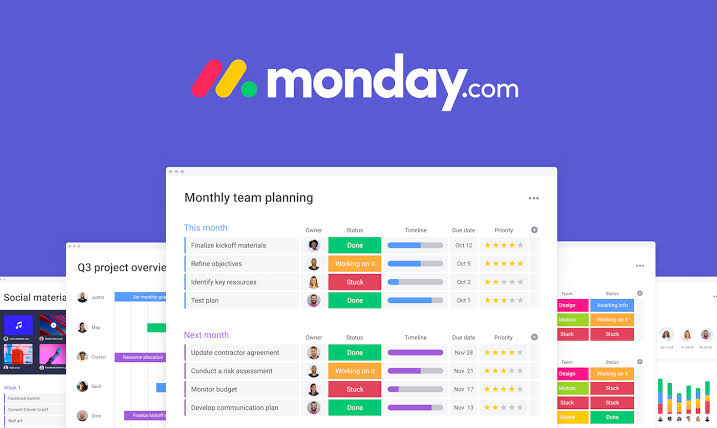
At the heart of Monday.com is the board — a virtual table used to organize tasks and subtasks. There are three main types:
- Main boards: Visible to every member of your account
- Shareable boards: Can be shared externally with guests such as clients or freelancers
- Private boards: Restricted to the creator and any team members they specifically invite
Each board can also be customized with different columns including:
- People column: Identifies who's assigned to a task
- Timeline column: Shows the start and end dates for a task or project
- Status column: Displays the current status of each task at a glance
Checklists
Checklists let you break larger tasks down into smaller more manageable pieces. This makes it easier for project managers to divide complex work among team members leading to smoother execution and better overall organization. Next time you're planning a hectic week Monday's checklist feature can help keep your team on track.
Automation
Monday.com's automation feature does exactly what it sounds like — it takes repetitive work off your plate. It works through a combination of triggers (events that occur) and actions (what happens in response). Users can rely on Monday's built-in automation templates or build custom workflows from scratch.
Some popular pre-built automations include:
- Notifications: Automatic alerts and reminders
- Status changes: Triggered whenever a task's status is updated
- Recurring tasks: Automates tasks that repeat on a schedule
Integrations
Like most modern remote-work platforms Monday.com connects with a variety of third-party tools to keep data flowing smoothly across your workflow. Popular integrations include:
- Google Drive — for file storage and collaboration
- Slack — for team communication
- Jira — for issue tracking
- GitLab — for tracking bugs on open-source projects
These integrations help fill in some of the gaps in Monday.com's native feature set.
Pros and Cons of Monday.com
Since launching Monday.com has consistently ranked among the top five project management tools available — and for good reason. Here's what users appreciate most:
Pros:
- Built for collaboration — Multiple users can edit boards simultaneously which is a major advantage for distributed teams. Real-time messaging and shared boards make it easy to solve problems together.
- Clear visual tracking — Color-coded boards make it simple to see task progress and spot issues at a glance without digging through menus.
- Strong organization — Projects resources schedules and communication all live in one place with automation reducing the administrative workload.
- Reliable communication — Teams can invite outside guests to view boards and timelines keeping both internal staff and external partners on the same page.
- Flexible views — While it lacks a native Gantt chart Monday.com offers strong alternatives like calendar and kanban views to help track deadlines and progress.
Cons:
- Per-user pricing limits — Costs scale with team size though custom plans are available for specific needs.
- No built-in time or budget tracking — Without a Gantt chart tracking time and costs against tasks can become cumbersome.
- Steep learning curve — The sheer number of features can feel overwhelming for new users.
- Gaps in integrations — Some popular platforms like Salesforce and SharePoint aren't as well supported as users would like.
Pricing Plans at a Glance
- Basic ($49/month): Designed for teams of 10 or fewer with 5GB of storage. Kanban boards help visualize workflows for smaller teams.
- Standard: Also built for teams of 10 but with 50GB of storage and more advanced features including visual timeline views for tracking project tasks.
- Pro ($119/month): Supports up to 25000 integration actions per month for 10 users plus advanced tools like chart views time tracking and private boards.
- Enterprise: A fully customized plan for larger organizations backed by a 99.9% SLA uptime guarantee — ideal for teams managing mission-critical work.
Final Thoughts
Choosing the right project management tool can make a real difference in how efficiently your team operates — and ultimately your bottom line. Monday.com's blend of visual organization automation and collaboration features makes it a strong contender for teams of nearly any size looking to bring more structure to their workflow.