Turn Ideas Into Action: How MindManager Makes Planning, Projects, and Productivity Easier
In today’s fast-moving workplace having great ideas is only the beginning. Teams also need a clear way to organize information turn ideas into plans manage projects and keep everyone aligned. When notes emails spreadsheets meetings and tasks are scattered across different places even simple projects can become difficult to manage.
That’s where MindManager comes in.
Designed to help individuals and teams visualize information MindManager combines mind maps diagrams project planning tools task management and collaboration features in one workspace. It helps transform unstructured ideas into visual plans that are easier to understand share and execute.
Why Visual Planning Matters
Traditional documents and long lists can make complex projects difficult to understand. A visual approach can make relationships between ideas tasks deadlines and priorities much easier to see.
With MindManager users can start with a central idea and build connected branches around it. This makes it possible to move naturally from brainstorming to organizing information and eventually to execution.
For example a marketing team planning a new campaign could create a central campaign map and branch it into:
- Campaign objectives
- Target audience
- Content strategy
- Advertising channels
- Budget
- Project timeline
- Team responsibilities
- Key deliverables
Instead of keeping each element in a separate document everything can be brought together visually.
From Brainstorming to Project Execution
One of the biggest advantages of MindManager is that brainstorming does not have to remain separate from project management.
A team can begin by capturing ideas and then develop those ideas into actionable tasks. MindManager supports visual planning through mind maps timelines flowcharts Kanban boards Gantt charts and other diagrams.
This can be particularly useful for project managers who need to move quickly from an initial concept to a structured execution plan.
Tasks can include information such as resources deadlines priorities and other relevant details. Project costs can also be tracked within project maps giving users greater visibility into important project elements.
Make Complex Projects Easier to Manage
Project management often involves multiple people deadlines dependencies and moving parts. When information is spread across emails and different applications it can be difficult to maintain a complete picture.
MindManager provides a visual way to organize goals requirements tasks priorities notes and supporting documents. Teams can use a single visual board to structure project information and understand what needs to happen next.
For project managers this can help create a clearer overview of the project while still allowing them to focus on individual tasks.
Gantt charts for example can provide visibility into tasks dates resources costs and project status. Timelines can also help stakeholders understand important milestones and deliverables at a glance.

Improve Team Collaboration
Good collaboration requires more than sending messages back and forth. Everyone needs access to the right information and a clear understanding of what is expected.
MindManager supports collaboration by allowing teams to share maps work together on visual plans and communicate ideas in a more structured format. Its collaboration capabilities work across platforms including Windows Mac Chromebook Microsoft Teams and web browsers.
Digital whiteboards and sticky notes can also support brainstorming sessions allowing teams to capture ideas visually before organizing them into actionable plans.
This can be particularly useful for remote and hybrid teams that need a shared space for planning and idea development.
Connect MindManager With the Tools You Already Use
Adopting new software can be challenging when it requires teams to completely change their existing workflows.
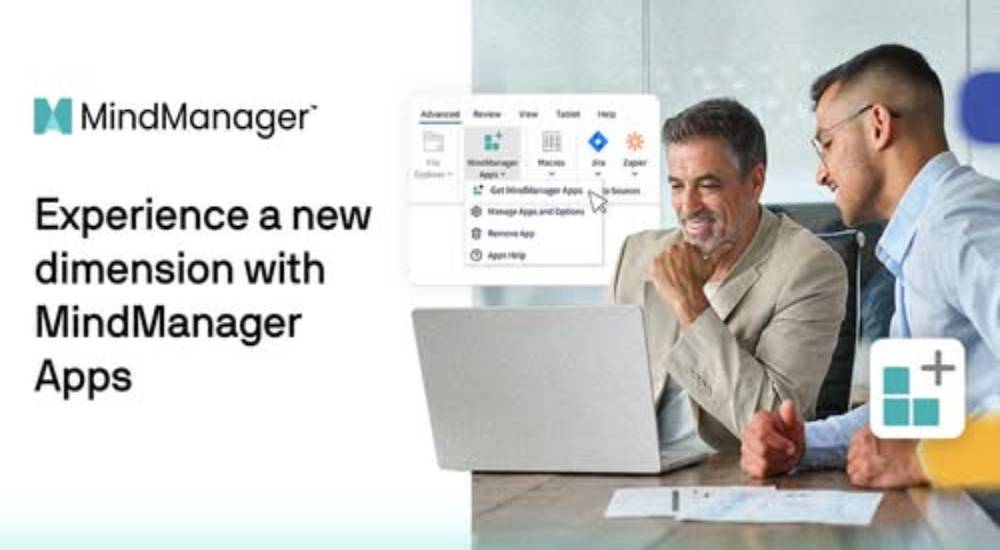
MindManager addresses this with integrations and data connections designed to work alongside commonly used business tools. Its integration options include platforms such as Microsoft Teams Jira Microsoft Project SharePoint OneDrive Dropbox Google Drive and Zapier.
This allows teams to incorporate visual planning into existing workflows rather than treating it as a completely separate process.
For example a team could use MindManager to visually plan a project and connect that work with other platforms used for task management communication or cloud storage.
Templates Help You Get Started Faster
Starting with a blank canvas isn't always easy. That’s why templates can be useful when creating a new project brainstorming session process or strategic plan.
MindManager offers templates for areas including project management planning brainstorming problem solving process mapping and organizing information.
Instead of spending time deciding how to structure a project map users can start with an existing framework and customize it according to their needs.
This can make the transition from an idea to a usable visual plan much faster.
Who Can Benefit From MindManager?
The flexibility of MindManager makes it useful across a variety of professional situations.
Project managers can use it to organize project plans and timelines. Marketing teams can map campaign strategies and content ideas. Business leaders can visualize strategic initiatives. Product teams can organize requirements and development plans. Individuals can also use it for personal productivity brainstorming meeting notes and organizing complex information.
The platform is designed around the idea of turning information into visual structures that help people think plan communicate and execute more effectively.
Try a More Visual Way to Work
Managing information doesn't have to mean working through endless lists documents and disconnected notes. A visual workspace can help bring ideas tasks priorities and project information together.
MindManager provides tools for brainstorming planning project management diagramming collaboration and information organization helping users move from ideas to plans and plans to action.
Whether you're managing a complex business project planning a marketing campaign organizing a team workflow or simply looking for a better way to structure your ideas MindManager offers a flexible visual approach to getting work done.